A four-part professional development series empowering educators across the OECS region to master the tools of the OECS Learning Hub.

Series
4 Live Sessions
4 Live Sessions | Feb – May 2026 | 6PM – 7PM
This four-part series is designed to empower participants with practical skills and knowledge for effectively utilising the diverse tools and resources on the OECS Learning Hub. Each session features interactive demonstrations and hands-on practice. Sessions are held after work hours to accommodate busy educators.
By the end of this series, participants will be able to:
Navigate the OECS Learning Hub with confidence.
Identify and utilise key digital tools and resources available on the platform.
Apply best practices for integrating the Hub's tools into educational or professional workflows.
Reflect on their user experience to drive ongoing improvement.
Four progressive sessions building from planning tools to collaborative sharing — each standing on the last.
Assessment & Data Tools
Session Content
Reflect on one tool you discovered during today's webinar that you believe could make the biggest impact in your role (as a teacher, principal, or education officer). Using the template below, quickly sketch out a simple plan to try out or share this tool in your school within the next two weeks.
Choose Your Tool
The digital assessment tool I plan to use or share.
My Implementation Plan
I will implement/support this by… (briefly explain your plan for using or sharing the tool/strategy).
Evidence of Impact
I will know it's making a positive difference when I see… (describe the signs or evidence you'll look for).
Post: Upload your action plan to the shared online space. Check out what your colleagues have posted and leave a positive comment or emoji on at least two other submissions!
Share your mini-action plan with the facilitation team and your peers.
See what your colleagues are planning — and leave some encouragement!
Missed the live session? Watch the full recording below.
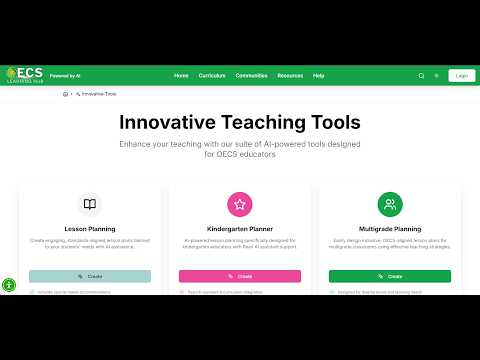
Complete this activity to deepen your learning with the lesson planning tools.
Select
Choose ONE innovation tool — the Lesson Planner OR the Lesson Plan Reviewer.
Experiment
Use the tool independently, exploring its features and functions.
Reflect
Record your experience. Consider — What did you enjoy most? What challenges did you encounter? How might this tool benefit your work? If you could change or add anything, what would it be and why?
Share
Prepare a brief user experience summary (written or video format) and submit it using the form below.
Share your reflection with the facilitation team.
Each 60-minute session is designed for maximum engagement
Guided walkthroughs of platform tools and features.
Opportunities to try out tools in real time.
Direct access to facilitators for support and clarification.
Good to know
Register now and join educators from across the Eastern Caribbean in this free professional development series. Sessions are after work hours — designed to fit your life.
All sessions recorded and available for later review.